Understanding Headless CMS vs WordPress can help businesses choose a content management platform that supports their current website requirements and future growth plans.Choosing the right content management system (CMS) is an important decision for any business planning to expand its online presence. A website that works perfectly for a small company today may struggle to support new services, larger content libraries, multiple digital channels, or more complex customer experiences in the future.
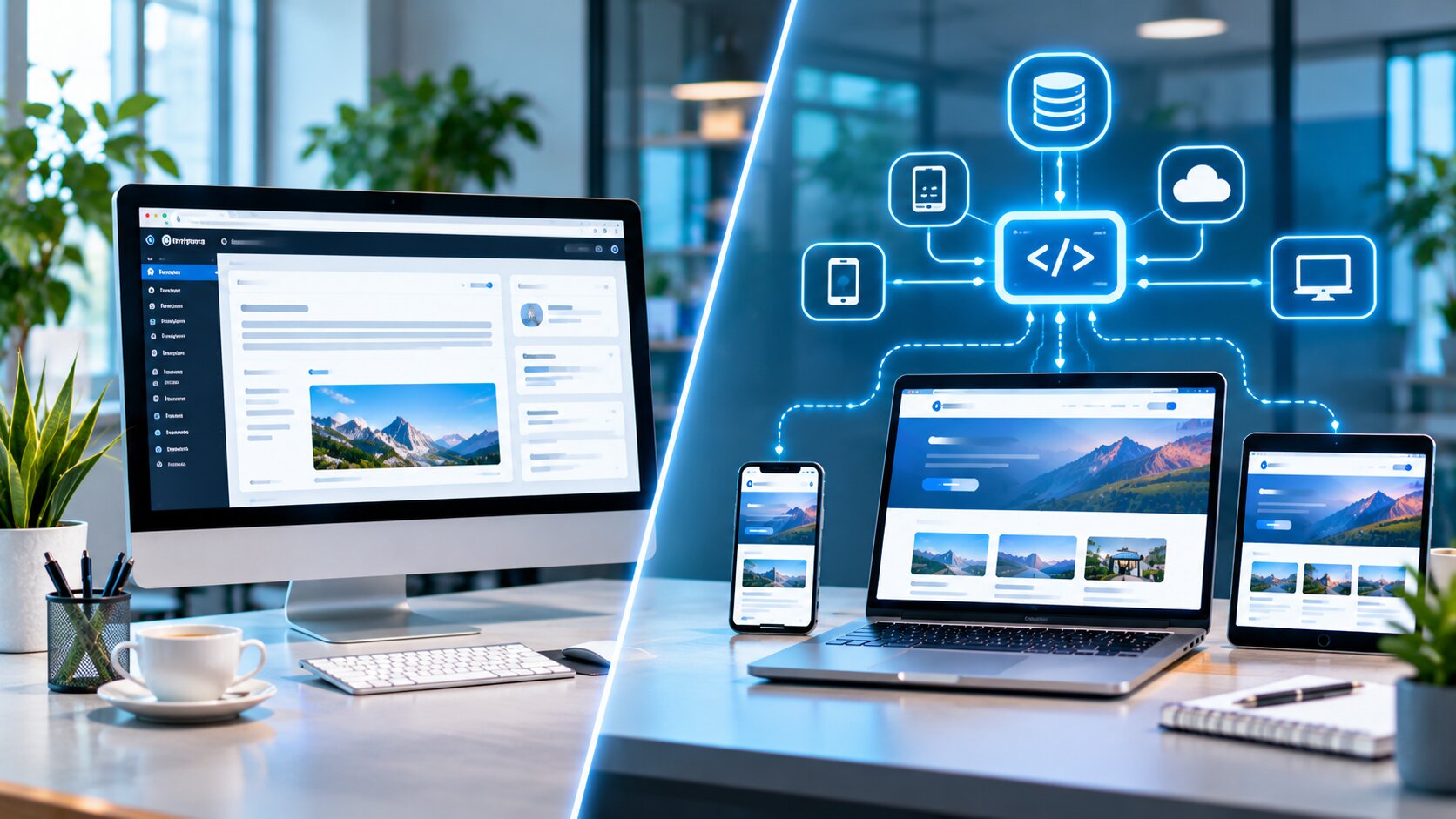
This is why many businesses compare a headless CMS with WordPress before investing in website development. Both options offer useful features, but they approach website management differently. WordPress combines content management and website presentation in one platform, while a headless CMS separates content management from the frontend that visitors interact with.
So, headless CMS vs WordPress: which is better for a growing business? The answer depends on your website requirements, development budget, content publishing process, technical resources, and long-term goals. WordPress is often a practical choice for businesses that want a manageable website without unnecessary complexity. A headless CMS may be more suitable for companies building custom digital experiences or distributing content across multiple platforms.
Let’s compare both options to understand which one makes more sense for your business.
What Is WordPress and How Does It Work?
WordPress is a popular content management system that allows businesses to create, manage, and publish website content without building every feature from scratch.
It combines the content management system and frontend presentation in a traditional setup. Users can manage pages, blog posts, images, menus, and website settings through a central dashboard.
One reason businesses choose WordPress is its flexibility. Its themes and plugins make it possible to add features without developing everything independently.
Some common WordPress capabilities include:
- Website and landing page development.
- Blog and content management.
- Ecommerce functionality through WooCommerce.
- Contact forms and lead generation.
- SEO plugins and optimization tools.
- Membership and subscription features.
- Third-party application integrations.
For businesses that regularly publish blogs, update service pages, or manage product information, WordPress offers a familiar working environment.
It also supports the REST API, allowing developers to retrieve and exchange website content with separate applications when required.
When evaluating Headless CMS vs WordPress, it is important to understand how WordPress combines content management and frontend presentation in one platform.
What Is a Headless CMS?
A headless CMS is a content management system that separates the backend, where content is created and stored, from the frontend, where that content is displayed.
In simple terms, the CMS manages the information, while a separate application decides how visitors see it.
These two parts communicate through APIs, which allow content to move between different systems.
For example, a business might publish an article once and distribute that content across its website, mobile application, and digital display system.
Popular headless CMS platforms include:
- Contentful
- Sanity
- Strapi
- Storyblok
- Directus
A headless CMS is particularly useful when businesses need greater control over website architecture or want to deliver content through multiple digital channels.
Unlike traditional WordPress, however, it generally requires developers to build and maintain the frontend separately.
This architectural difference is one of the most important factors businesses should consider when comparing Headless CMS vs WordPress.
Headless CMS vs WordPress: What Are the Main Differences?
Although both platforms help businesses manage website content, their architecture, development requirements, and publishing workflows are different.
The following Headless CMS vs WordPress comparison highlights the key differences businesses should evaluate before selecting a platform.
| Comparison Factor | WordPress | Headless CMS |
| Architecture | Combined backend and frontend | Separate backend and frontend |
| Ease of use | Generally beginner-friendly | Depends on the CMS and setup |
| Development | Themes and plugins simplify development | Requires a separately developed frontend |
| Customization | Flexible through themes, plugins, and code | Greater frontend freedom |
| SEO | Established SEO plugins and tools | Requires deliberate SEO implementation |
| Performance | Depends on hosting, themes, and optimization | Can support optimized frontend delivery |
| Content management | Familiar visual dashboard | Structured content management |
| Integrations | Large plugin ecosystem and APIs | API-focused integrations |
| Maintenance | Core, theme, plugin, and hosting updates | CMS, frontend, API, and hosting maintenance |
| Initial investment | Often more affordable | Usually requires more development work |
The important point is that neither platform is automatically better. Headless CMS vs WordPress, the right choice depends on what your business actually needs.
1. Which Platform Is Better for Website Development and Customization?
Customization becomes increasingly important as a business grows. You may need new website sections, interactive features, customer portals, advanced search functions, or connections with external software.
WordPress offers several customization options through themes, plugins, custom post types, and development work. Businesses can build professional websites without creating every component from the beginning.
A headless CMS provides a different level of frontend freedom. Developers can use technologies such as React, Next.js, or Astro to build custom website experiences independently of the CMS.
Choose WordPress if:
- You need a business website with standard features.
- Your team wants to manage website content independently.
- You want to use existing themes and plugins.
- You need a practical development budget.
Consider a headless CMS if:
- You need a highly customized frontend.
- Your content must support several applications.
- Your website has complex data requirements.
- You have developers who can maintain the architecture.
For most service-based businesses, WordPress offers sufficient customization without introducing unnecessary technical complexity.
The Headless CMS vs WordPress decision ultimately depends on how much customization your business requires and the technical resources available to support it.
2. Which Is Better for SEO and Search Engine Visibility?
SEO is an important consideration when selecting a CMS because your website needs to be accessible, understandable, and easy for search engines to crawl.
WordPress offers an established ecosystem of SEO tools. Businesses can manage page titles, meta descriptions, XML sitemaps, canonical URLs, redirects, and other optimization requirements through suitable plugins and configurations.
A headless CMS can also support excellent SEO performance, but developers have more responsibility for implementing important features on the frontend.
These include:
- SEO-friendly URLs.
- Unique page titles and meta descriptions.
- Proper heading structures.
- Canonical tags.
- XML sitemaps.
- Structured data.
- Internal linking.
- Mobile-friendly page layouts.
One important consideration is JavaScript rendering. Google can process JavaScript, but its crawling process includes separate crawling, rendering, and indexing stages. Server-side rendering or pre-rendering can make website content easier to access for search engines.
Neither WordPress nor a headless CMS automatically guarantees better Google rankings.
The quality of the website’s content, technical implementation, user experience, and overall SEO strategy matter more than the CMS name.
When comparing Headless CMS vs WordPress for SEO, focus on technical implementation, content quality, crawlability and optimization capabilities rather than the platform alone.
3. Which Platform Offers Better Website Performance?
Website speed influences how visitors interact with your business. Slow pages can interrupt the browsing experience, especially when customers are accessing your website through mobile devices.
Headless CMS architecture can support fast websites because developers can use static generation, server-side rendering, caching, and content delivery networks (CDNs) to deliver pages efficiently.
However, the actual results depend on how the frontend and content delivery system are built.
WordPress websites can also achieve strong performance with:
- Reliable website hosting.
- Image compression and optimization.
- Browser and server-side caching.
- Content delivery networks.
- Lightweight themes.
- Reduced plugin usage.
- Optimized databases.
For example, a WordPress website with good hosting and a carefully selected theme may perform better than a poorly developed headless website.
Before changing platforms because of speed problems, identify what is actually slowing down the existing website.
Performance should be an important consideration in your Headless CMS vs WordPress evaluation, particularly if website speed is a priority for your business.
4. Which CMS Is More Secure for Growing Businesses?
Website security becomes increasingly important as businesses collect customer enquiries, manage online transactions, and store business information.
WordPress requires regular maintenance of its core software, themes, and plugins. Weak passwords, outdated components, and poorly maintained extensions can create security risks.
A headless architecture separates the public-facing frontend from the content management backend. This can reduce direct exposure of the CMS administration environment, depending on how the system is configured.
However, it does not eliminate security responsibilities.
Both approaches require:
- Secure hosting environments.
- Strong authentication.
- Regular software updates.
- Appropriate access permissions.
- Reliable backups.
- HTTPS encryption.
- Security monitoring.
- Proper API authentication where required.
A headless CMS is not automatically secure, just as WordPress is not automatically vulnerable. Good development practices and ongoing maintenance make the difference.
Security requirements should also influence your Headless CMS vs WordPress decision, especially when your website handles customer information and online transactions.
5. Which Platform Is More Affordable?
Budget is often one of the biggest factors for businesses choosing a website platform.
WordPress is generally more affordable to launch because businesses can use existing themes, plugins, hosting solutions, and widely available development services.
Headless CMS development usually requires additional work because the frontend must be designed and developed separately.
Its overall cost may include:
- CMS subscription or hosting.
- Frontend development.
- API integration.
- Custom design and functionality.
- Deployment infrastructure.
- Ongoing technical support.
- Monitoring and maintenance.
However, the actual cost depends on the project. Some headless platforms offer free or open-source options, while advanced WordPress websites can also require substantial development investment.
Businesses should compare the total cost of ownership rather than focusing only on initial development expenses.
A proper Headless CMS vs WordPress cost comparison should include initial development expenses as well as long-term maintenance and operational costs.
6. Which CMS Is Easier for Content Management?
For businesses that regularly publish blogs, update service pages, and manage website information, the content editing experience matters.
WordPress is particularly convenient for marketing teams because its dashboard offers familiar publishing tools. Users can create drafts, upload images, organize categories, edit pages, and publish content without requiring a developer for every small change.
A headless CMS generally uses structured content fields. Editors enter information into predefined sections, and the separate frontend displays it according to the development team’s templates.
This approach can be useful for businesses managing large amounts of reusable content.
However, visual previews, page-building flexibility, and publishing workflows may require additional configuration.
If your marketing team frequently changes page layouts and promotional sections, traditional WordPress may offer a more convenient experience.
7. Can WordPress Work as a Headless CMS?
Yes. WordPress does not have to be used only as a traditional website platform.
Its REST API allows developers to retrieve website content and display it through a separate frontend application.
For example, a business can continue using the WordPress dashboard to manage blogs and pages while a custom frontend built with Next.js handles the visitor-facing experience.
This approach is commonly known as headless WordPress or decoupled WordPress.
It can be a useful middle ground for companies that want to retain their existing content management workflow while gaining greater frontend flexibility.
However, businesses should consider that some traditional WordPress themes and plugins may not work as expected in a headless setup. Features such as previews, forms, navigation, and SEO metadata may need additional development.
Now that you understand the main differences in Headless CMS vs WordPress, the next step is identifying which platform better matches your business requirements.
When Should a Growing Business Choose WordPress?
WordPress is generally a sensible choice when your business needs a reliable website that is easy to manage and does not require an elaborate technical architecture.
Consider WordPress if:
- You run a small or medium-sized business.
- Your website mainly supports marketing and lead generation.
- You publish blogs and service-related content.
- You need an ecommerce website using WooCommerce.
- Your marketing team manages website updates.
- You want access to a large plugin and developer ecosystem.
- You prefer a manageable development and maintenance process.
For many businesses, a properly developed and maintained WordPress website can support years of growth.
When Should a Business Consider a Headless CMS?
A headless CMS becomes more attractive when the business has requirements that go beyond a conventional website.
Consider it when:
- You distribute content across websites, apps, and other platforms.
- You need a highly customized frontend.
- You manage multiple digital products or brands.
- You have complex content relationships.
- Your development team can support a separate frontend.
- Your existing CMS architecture creates genuine limitations.
For example, a website design company managing a website, mobile application, customer portal, and digital information screens may benefit from a central content repository.
In this situation, a headless CMS can reduce the need to maintain separate copies of the same content.
How to Choose the Right CMS for Your Business
Before making a decision, consider your current website requirements and where you expect the business to be in the next few years.
Ask these questions:
- What type of website are you building? A business website, blog, ecommerce store, and digital platform may have different requirements.
- Who will manage the content? Consider whether your marketing team needs direct control over publishing and page updates.
- How much customization do you need? Identify the features that cannot be handled through standard website functionality.
- What is your development budget? Include hosting, integrations, maintenance, and future upgrades.
- Do you have technical support? Headless architecture requires ongoing frontend and backend expertise.
- Will you publish content across multiple channels? This is one of the strongest reasons to consider a headless approach.
A CMS should make business operations easier, not introduce additional work without a clear benefit.
After evaluating development, SEO, security, performance and content management, the Headless CMS vs WordPress comparison becomes easier to approach from a business perspective.
Final Thoughts
There is no universal winner in the Headless CMS vs WordPress debate. The right choice depends on your website complexity, budget, content strategy and long-term digital goals.
For most growing small and medium-sized businesses, WordPress is a practical starting point because it offers accessible content management, flexible customization, and a broad development ecosystem.
A headless CMS is worth considering when a company needs custom digital experiences, multiple content delivery channels, or a more specialized technical architecture.
There is also a middle option: headless WordPress, which keeps the familiar WordPress backend while allowing developers to build a separate frontend.
Ultimately, the best CMS is the one that supports your business goals without creating unnecessary development and maintenance expenses.
If you are planning to build a new website or upgrade your existing platform, Let’s Design For You can help you evaluate your requirements and explore suitable website development solutions. Choosing the right architecture today can make future website improvements easier and more manageable.
Frequently Asked Questions
1. Is a headless CMS better than WordPress for growing businesses?
Not necessarily. WordPress is often better for businesses that need straightforward content management, blogging, and marketing websites. A headless CMS is more suitable when content must be delivered across multiple platforms or when a business requires a highly customized frontend.
2. Is WordPress suitable for large businesses?
Yes. WordPress can support large websites and growing businesses when properly developed, hosted, and maintained. Its suitability depends on the site’s functionality, traffic requirements, content structure, and technical architecture.
3. Is a headless CMS better for SEO?
A headless CMS can provide greater control over frontend performance and technical implementation, but it does not automatically improve SEO. WordPress also offers extensive SEO tools. Both platforms need crawlable content, proper metadata, structured data, and a well-planned SEO strategy.
4. Does a headless CMS require coding knowledge?
Most headless CMS platforms require developer involvement for frontend development, API integration, and technical configuration. Content editors can usually manage content through the CMS dashboard without writing code, once the system is properly configured.
5. Can WordPress be converted into a headless CMS?
Yes. WordPress can work as a headless CMS through its REST API or additional API solutions. Developers can connect its content backend to a separate frontend built using technologies such as React or Next.js.
6. Which is more secure: WordPress or a headless CMS?
Neither option is automatically more secure. A headless architecture can separate the public frontend from the CMS administration environment, while WordPress can also be secured through reliable hosting, updates, access controls, and regular monitoring.
7. Is headless CMS development more expensive than WordPress?
It often involves higher initial development costs because a separate frontend and API integration are required. However, the actual investment depends on the CMS, project complexity, hosting, and ongoing maintenance requirements.
8. Can I migrate from WordPress to a headless CMS later?
Yes. Businesses can migrate their existing WordPress content to a headless CMS when their requirements change. The process generally involves content migration, frontend development, URL mapping, SEO checks, integration testing, and website launch planning.